


Video: How to Start Your Family Tree
How do you start your family tree? Here is a video that can help you. Watch the video “How to start your family tree in a few easy helpful steps” below. It provides step-by-step instructions on how to add family members to your tree. Read the article...
How to Keep Your Family Safe on the Internet
June is National Internet Safety Awareness Month. This article contains links to resources parents can use to learn how to keep the internet a safe resource for you and your family. The non-profit organization Enough Is Enough has created the website Internet Safety...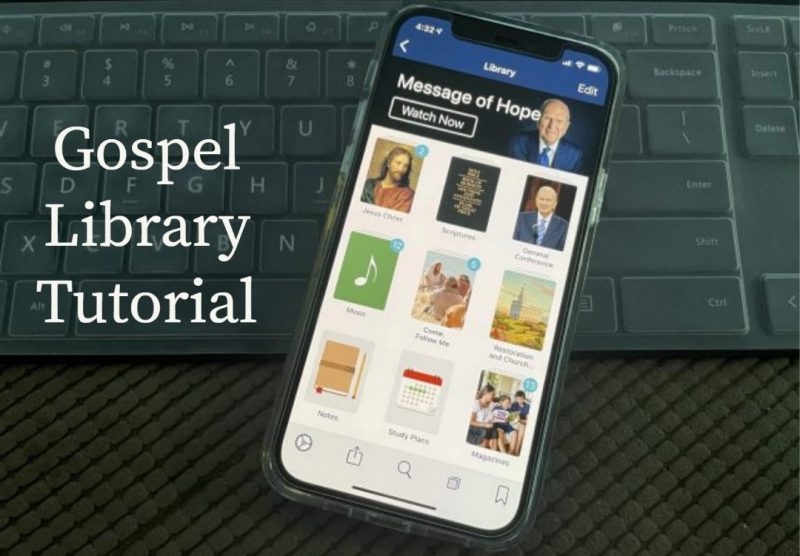
How to Sync the Gospel Library App Across Devices
Do you know how to sync your content from the Gospel Library mobile app across all your devices? If you plan on using study features like bookmarks, notes, or study plans, you will want to sign in with your Church Account in Gospel Library settings. When you’re signed...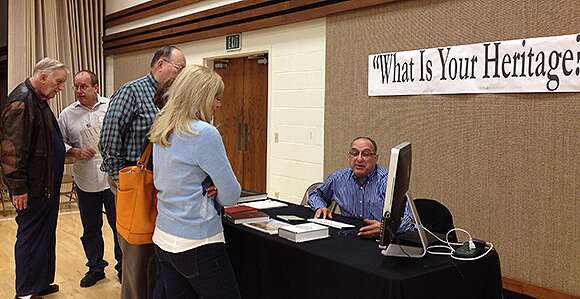
How to Host a Stake Family History Fair
Your stake could host a family history fair with material from RootsTech, the annual genealogy conference held in Salt Lake City and available online worldwide. The Family History Department provides a family history fair planning guide and a family history fair...
How to Use Audio and Video in the Gospel Library App
Do you know how to play audio and video in the Gospel Library mobile app? Most content in the Gospel Library has an audio recording. When you are scrolled to the top of a chapter or article that has audio, you will see a floating audio button in the bottom right...
How to Use the Study Tools in the Gospel Library App
Do you know about all the study tools available in the Gospel Library mobile app? In the Home section, under “Study Tools,” you will find four items: Annotations, Tags, Notebooks, and Study Plans. Annotations Annotations has all of the marks and notes you’ve created...
How to Search on ChurchofJesusChrist.org
Search results on ChurchofJesusChrist.org are now much better since they switched from old search technologies to Google in June 2022. If you always go to Google to search for Church content, you may want to give the Church’s website search a try, since it...
How to Share Content from the Gospel Library App
Do you know how to share content from the Gospel Library mobile app? To share a quote from a chapter or article, select the text you want to share, then tap the share button on the annotation menu. This will bring up a list of sharing options provided by operating...
How to Use the Gospel Library App Offline
Do you know how to use the Gospel Library mobile app offline when you don’t have a cellular or Wi-Fi connection? If you want to listen to audio recordings or watch videos offline (or just when you have a slow connection), you can download what you need in...
How to Use Bookmarks in the Gospel Library App
Do you know how to use bookmarks in the Gospel Library mobile app? You can use bookmarks to keep track of your current reading, interesting articles, or favorite chapters you want to come back to. When you’re on a chapter you want to bookmark, tap the bookmarks button...
How to Access Related Content in the Gospel Library App
Do you know how to access related content in the Gospel Library mobile app? There are a few tools available to help you study when you’re in a chapter or article. We’ll use Alma 37 as an example. First, navigate to Alma 37. Throughout the chapter, words with footnotes...
Video Tutorial: How to Use the Gospel Living App
The Church’s Gospel Living app for youth is available worldwide in 15 languages. The app provides content that inspires youth to set goals and has links and tools to help them in their gospel learning and daily living. Watch the tutorial video below created by a stake...
How to Use Multiple Screens in the Gospel Library Mobile App
Do you know how to use multiple screens in the Gospel Library mobile app? If you want to have multiple sections of the app open at the same time, you can use screens. Screens are similar to tabs in a web browser. Tap the screens button in the bottom bar. The screens...
How to Update Contact Information in the Church Directory of Organizations and Leaders (CDOL)
Leaders with the following Church positions may update their own personal contact information in the Church Directory of Organizations and Leaders (CDOL): Stake and district presidents, counselors, clerks, assistant clerks, executive secretaries, assistant executive...Follow on social media