
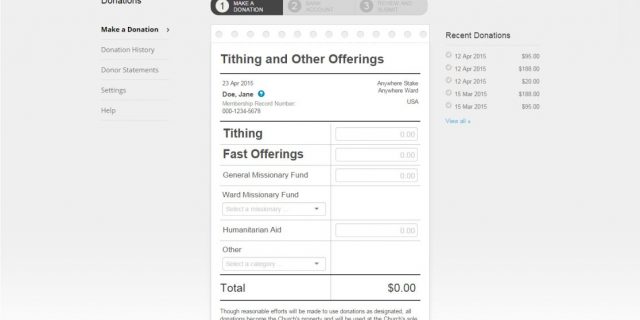
It’s time for Latter-day Saints in the United States to begin preparing their tax returns. Here’s how to print your official tax statement of donations to the Church.
- Go to donations.ChurchofJesusChrist.org. (Or navigate to it on ChurchofJesusChrist.org by logging in and clicking Resources in the upper right corner, and then choose Donations.)
- In the top navigation on the page, click History and then click Donor Statements.
The statement includes all your donations, including donations you made online or directly to your ward or branch. If you have made an in-kind donation, choose the In-kind Donation Receipts option.
If you used an account that was not associated with a Member Record Number (MRN), then you should add your MRN to your account so that, in the future, the statement will include all your donations:
- Go to account.ChurchofJesusChrist.org/membership and log into your account with the username you use to log into Online Donations.
- Click Membership.
- Enter your membership record number (MRN).
- Click Save.
Donations made through an IRA/QCD or Charitable Giving Account (Donor Advised Fund) are not included in the official tax statement but can be viewed by selecting the Third-Party Donations menu option in Online Donations.
If you have any questions, please contact your ward or branch clerk or for help. For help on adding your MRN to your account, go to account.ChurchofJesusChrist.org/help.
ok, I am trying to print my tax statement. I have followed these directions and it does not happen.
I am having the same problem. I can get a print out of the history, but it doesn’t count as a statement or receipt.